

Howdoes RRINI work?
A step-by-step guide to the full process, from searching for accommodation to listing your property.
✦ PART 1 · FOR GUESTS
Reserve. Pay. Enter immediately.
With RRINI, you can find, reserve and access your accommodation without waiting for the host and without complicated procedures.
Choose location
The city or area where you want to stay.
Choose accommodation
Photos, prices, amenities and availability.
Reserve
Instant or standard booking.
Choose payment method
By card or cash at Paysera ATM.
Wait for payment confirmation
The booking is activated automatically.
Get your personal code
Your personal entry code and apartment details.
Enter immediately
No waiting. No physical keys. No hassle.
✦ STEPS 1-3 · FIND & RESERVE
Find accommodation and
reserve in a few seconds.
Choose location
Choose the city or area where you want to stay.
Choose accommodation
View available accommodations, prices, photos, amenities and availability.

Reserve
Reserve the accommodation that suits you. If it is available for instant booking, confirmation happens automatically.
3-hour
Short stay
Daily
Overnight
3-hour bookings can only be made before midnight (00:00). After midnight, only daily bookings are available.
✦ STEP 4 · PAYMENT METHOD
Choose how you want to pay.
Two simple ways: by card online or with cash at a Paysera ATM.
OPTION A
Card payment
Pay directly at rrini.com with your bank card. Payment is confirmed automatically.
···· ···· ···· 4921
OPTION B
Cash · Paysera ATM
RRINI generates a QR code and a booking reference.
Go to a supported Paysera ATM.
Scan or present the QR code.
Enter the reference and deposit the exact amount required.
QR code + reference
Illustration — not a real QR.
IMPORTANT
You must deposit the exact amount required. If you deposit more, the difference will not be refunded. If you deposit less, payment will not be confirmed and you will not receive the entry code.
✦ STEPS 5-7 · CODE & ENTRY
Get your code and enter
without waiting for the host.
Wait for payment confirmation
Once payment is confirmed, your booking is activated automatically.
Receive your code and instructions
After payment confirmation, you will receive your personal entry code and instructions for your apartment.
ENTRY CODE
The code is personal and active only for the duration of your booking. Do not share it with others.
Enter and stay
Go to the location, follow the instructions and enter your accommodation without waiting for the host or a physical key handover.
No waiting. No physical keys. No hassle.
✦ PART 2 · FOR OWNERS
List your property. Choose how you want to manage it.
RRINI gives owners the ability to hand over full property management or use the platform solely as an extra booking channel.
Both options start with creating an owner account and listing your property. The difference is how much of the management RRINI handles and how much you keep.
✦ OPTION 1 · FULL MANAGEMENT · STEPS 1-4
You list the property. RRINI takes care of the rest.
Open your owner account
Register on RRINI and open your owner account.
List your property
Add the key information about your property.
You can save the listing and continue later.
RRINI reviews the property
The RRINI team checks the information, photos, conditions and booking readiness. If adjustments are needed, you receive guidance before approval.
Receive the contract by email
After approval, the contract is automatically prepared with your personal and property details. You receive it by email and can review it digitally.
Steps 5-8 continue on the next page →
✦ OPTION 1 · FULL MANAGEMENT · STEPS 5-8
Sign, publish and track your results.
Sign the contract electronically
Read and sign the contract online, without needing physical documents or an office visit.
The contract contains the collaboration terms, responsibilities, payments and property information.
The property is published
After signing, the property is activated and published. Depending on the management package, it is also synced to Airbnb and Booking.com.
 RRINI
RRINI

RRINI manages operations
RRINI coordinates bookings, calendars, payments, communication, guest entry and the operational processes included in the agreement.
Track performance and revenue
The owner can track bookings, availability and revenue through their account.
Your property works. You retain control and track the results.
✦ OPTION 2 · SELF-MANAGEMENT VIA RRINI
List your property. Keep your guests.
This option is for owners who already manage their Airbnb and Booking.com accounts themselves, but want to add RRINI as an extra booking channel. If you want to keep your own bookings and revenue from Airbnb and Booking.com, you can also list your property on RRINI and continue self-managing.
Open your owner account
Register and create your owner profile on RRINI.
List your property on RRINI
Add photos, description, prices, rules and property information.
Import your existing calendars
Import iCal links from Airbnb and Booking.com to sync availability and avoid double bookings.
iCal is a link that automatically syncs calendars between platforms, so the same dates are not booked twice.
Steps 4-6 continue on the next page →
✦ OPTION 2 · SELF-MANAGEMENT · STEPS 4-6
Sync, manage and receive extra bookings.
Get your RRINI iCal link
RRINI provides you with an iCal link for your property, which you can add to Airbnb, Booking.com and other platforms you use.
Manage yourself
You set prices, update availability, communicate with guests and manage entry, cleaning and the stay.
Receive extra bookings from RRINI
Your property becomes available to RRINI guests, while you continue managing it your own way.
More channels. More bookings. Control stays with you.
✦ COMPARISON OF THE TWO OPTIONS
Which option suits you?
The same property, two ways to manage it. Choose how much control you want to keep.
OPTION 1
Full management
For owners who want RRINI to coordinate the digital and operational management of the property.
- Published on RRINI
- Published & synced with Airbnb and Booking.com
- Cleaning & operations management
- Management per the contract
- Owner tracks bookings and revenue
- Less daily involvement for the owner
OPTION 2
Self-management
For owners who want to keep full control of the property and guests.
- Published on RRINI
- Sync via iCal
- Owner sets prices
- Owner talks directly with guests
- Owner organises entry and operations
- €5 fee charged to the guest
Which option suits you?


✦ READY TO START
Reserve accommodation or list your property on RRINI.
For guests: reserve, pay and enter immediately. For owners: list your property and choose how you want to manage it. No waiting, no hassle.
CONTACT US
admin@rrini.com
Phone
+383 49 300 390
Address
Mujo Ulqinaku 11, Prishtinë
Web
rrini.com
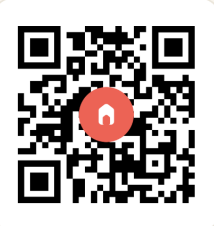
Scan to visit rrini.com
© 2026 Rrini Solutions L.L.C · Rr. Mujo Ulqinaku 11, Prishtinë · rrini.com